API Security Scanner
Overview
The Codepure API Security Scanner is designed to actively identify security weaknesses in your live applications. Instead of just reading code, our scanner connects directly to your running API endpoints, performing deep fuzzing and logic testing to simulate real-world attack scenarios. This approach allows you to uncover critical runtime vulnerabilities—such as authorization bypasses, injection flaws, and data exposure risks—that typically go undetected by standard static analysis (SAST) tools.Workflow Guide
The API Security scanning process consists of four logical steps: Scan Configuration, Analysis & Review, Shadow Detection, and Fuzzing Scan.Step 1: Scan Configuration
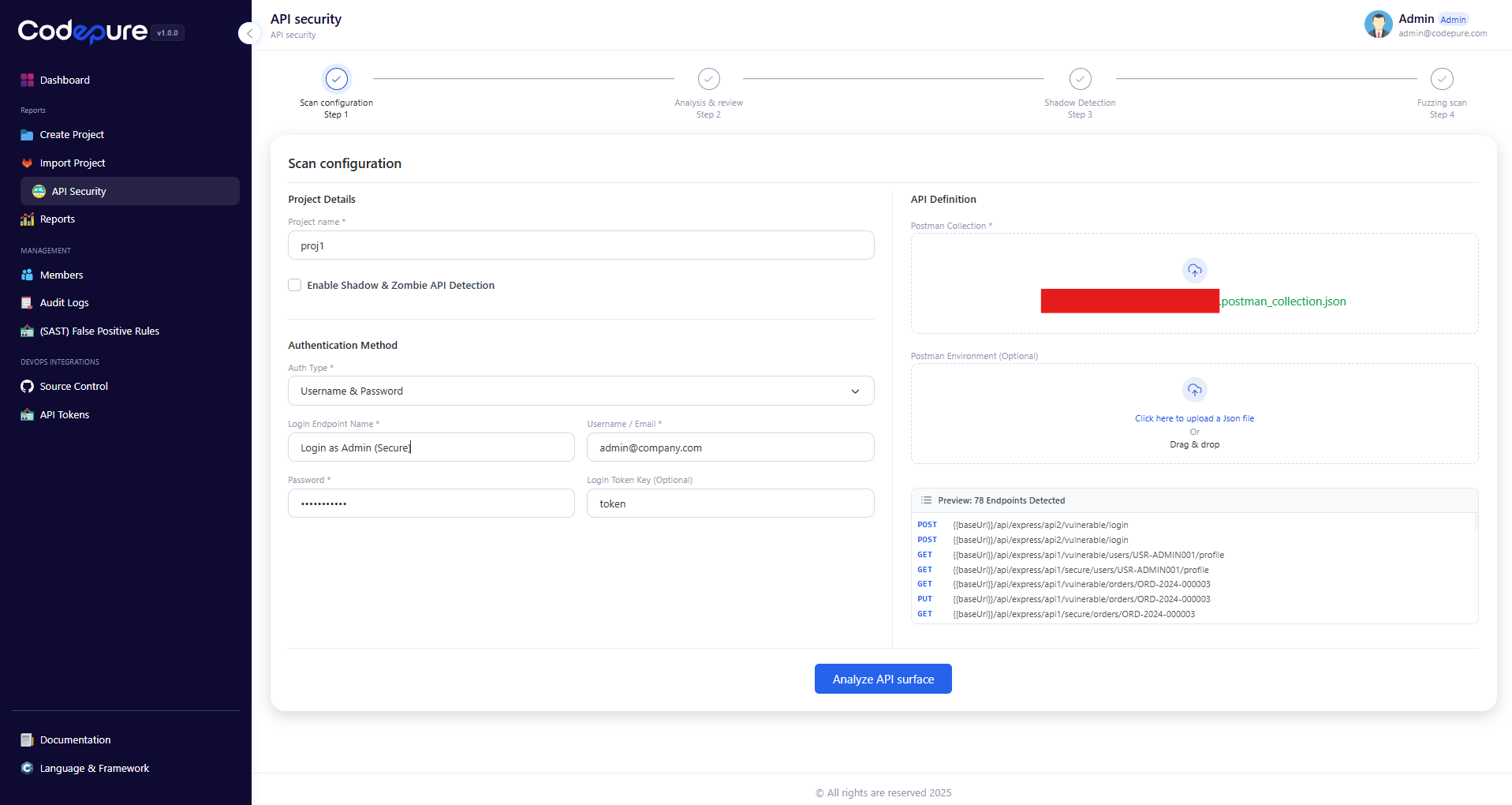
To begin a scan, you must define the target API surface and authentication parameters. This ensures the scanner understands how to interact with your application correctly. 1. Project Details:- Project Name: Assign a unique name to your scan project.
- Shadow & Zombie Detection: Toggle this option to enable discovery of undocumented or deprecated endpoints.
- Auth Type: Select your method (e.g., Username & Password, API Key, or Bearer Token).
- Login Endpoint: Define the specific endpoint used for authentication (e.g.,
/api/login). - Credentials: Provide a valid test user account.
- Login Token Key: Specify the JSON key where the token is returned (e.g.,
tokenoraccess_token), allowing the scanner to maintain a session automatically.
- Postman Collection: Upload a standard
.jsonPostman Collection export. - Postman Environment (Optional): If your collection uses variables, upload the corresponding environment file.
Step 2: Analysis & Health Check
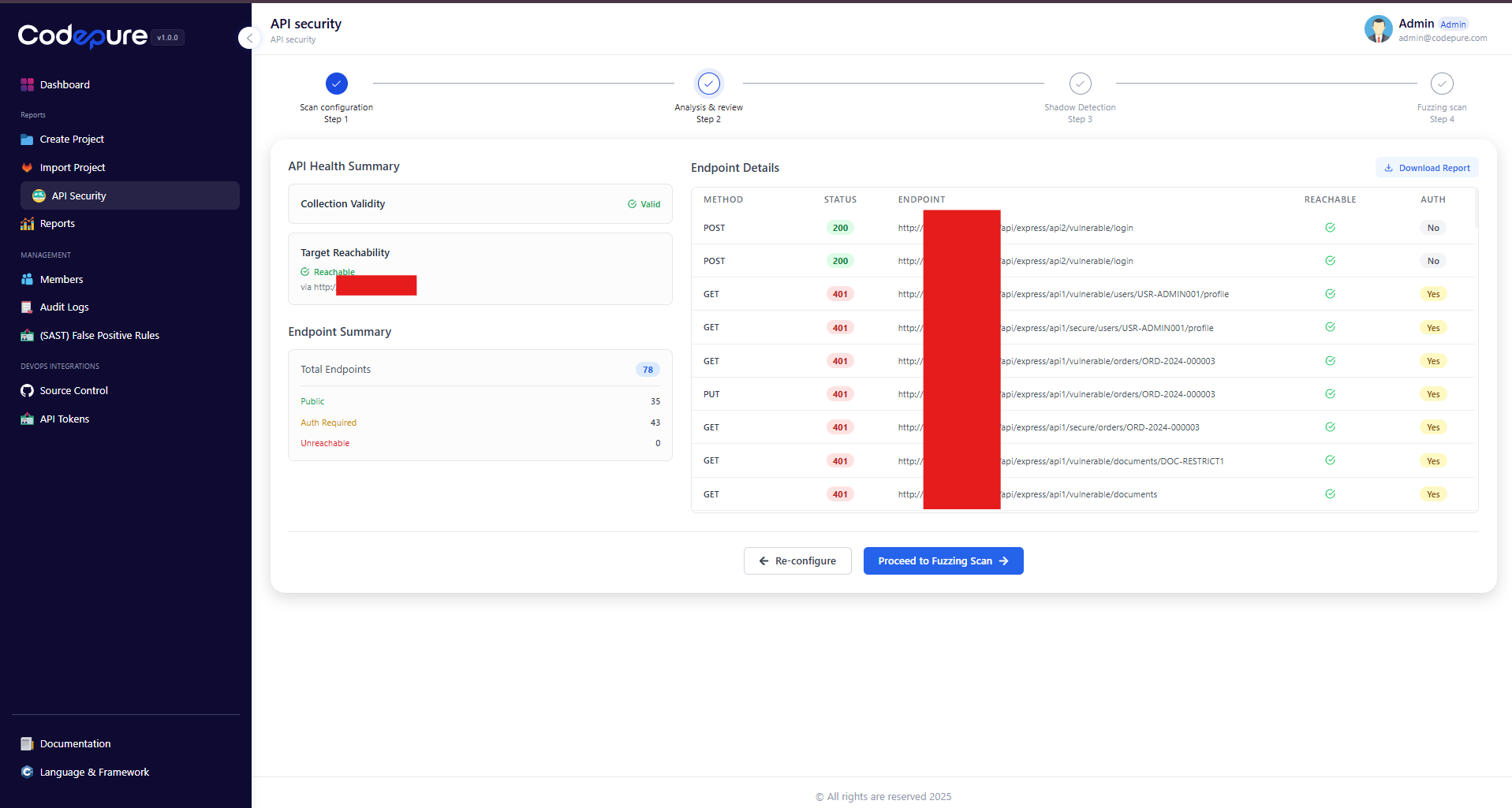
Before launching a full attack simulation, Codepure performs a “Health Check” on your API. This step verifies that the scanner can successfully reach the endpoints and authenticate using the credentials provided in Step 1. Key Indicators:- Collection Validity: Confirms the uploaded Postman file is parsed correctly.
- Target Reachability: Ensures the host server is responding.
- Endpoint Summary: A breakdown of Public vs. Auth-Required endpoints.
Step 3: Shadow & Zombie API Detection
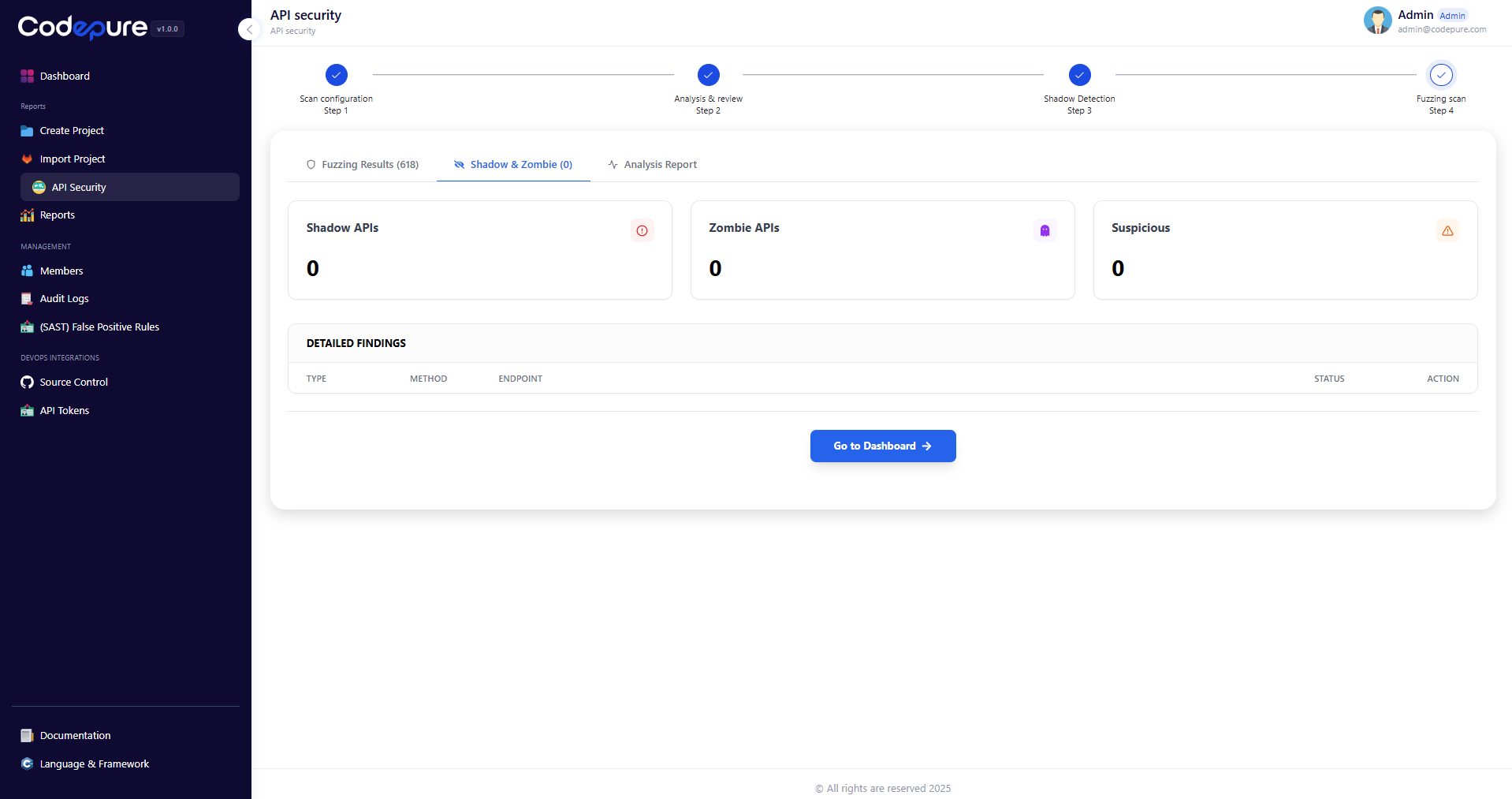
Note: This step runs automatically if enabled during configuration. Modern applications often suffer from API sprawl. Codepure helps you identify endpoints that exist but are not properly managed.- Shadow APIs: Endpoints that are active on the server but were not included in your provided documentation (Postman collection). These represent a significant risk as they are often unpatched.
- Zombie APIs: Deprecated endpoints that were supposed to be removed but are still accessible.
Step 4: Fuzzing Scan & Results
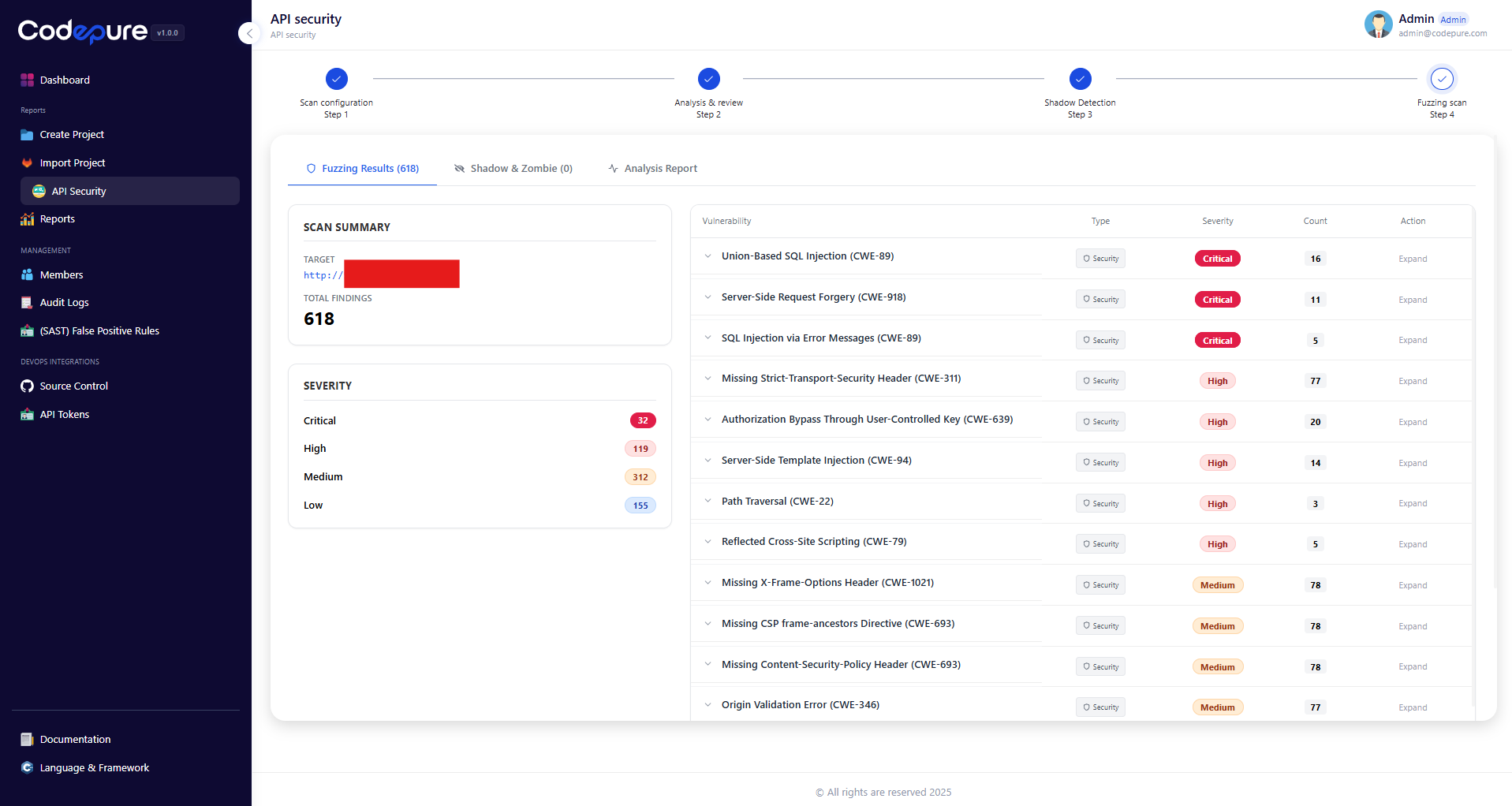
This is the core of the API Security module. The scanner performs aggressive fuzzing, sending malformed data and logic tests to every endpoint to trigger security exceptions. Dashboard Overview:- Scan Summary: Displays the total number of findings.
- Severity Breakdown: Vulnerabilities are categorized by impact (Critical, High, Medium, Low).
- SQL Injection (CWE-89): Attempts to manipulate database queries.
- SSRF (CWE-918): Server-Side Request Forgery attempts.
- Authorization Bypass (CWE-639): Tests if users can access data belonging to others.
- Security Header Misconfigurations: Checks for HSTS, CSP, and Frame-Options.
Reporting
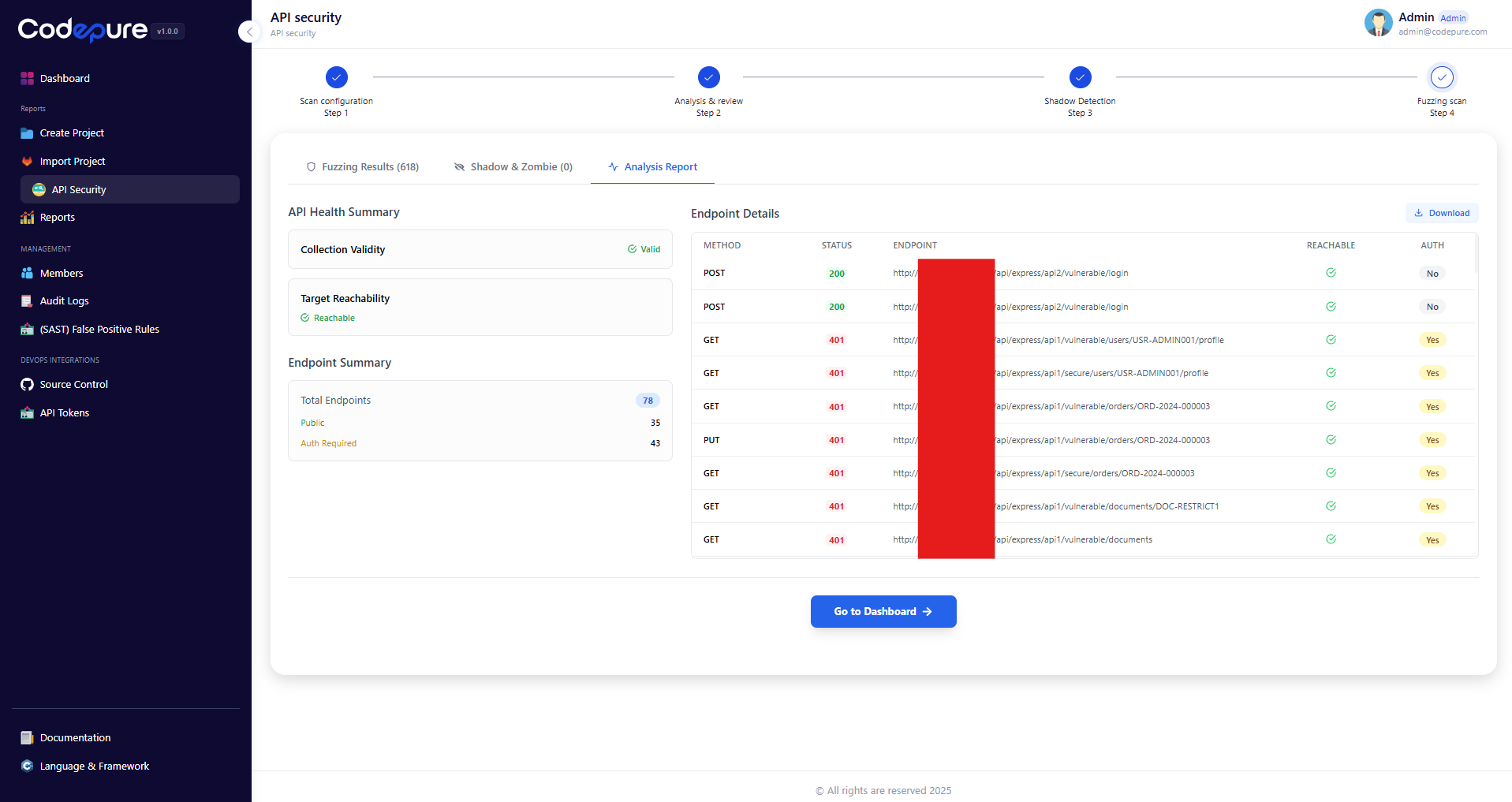
Once the scan is complete, you can generate a compliance report.- Navigate to the Analysis Report tab.
- Click Download Report to export a PDF summary for your compliance team or developers.